Make a Meme on Procreate w/ LucaTheSketcher
Use Procreate with LucaTheSketcher to draw a funny character, add text and layers, design a meme, and export it to share safely.


Step-by-step guide to make a meme on Procreate with LucaTheSketcher
PROCREATE Drawing Made EASY - Beginner Step-by-Step Tutorial
Step 1
Open the Procreate app on your iPad.
Step 2
Create a new square canvas sized 2048 by 2048 pixels.
Step 3
Open the LucaTheSketcher tutorial or reference image to get style ideas.
Step 4
Pick one funny character idea from LucaTheSketcher to draw.
Step 5
Add a new layer and draw a light pencil sketch of your character.
Step 6
Add another layer and trace clean ink lines over your sketch.
Step 7
Create a layer under the ink and fill in flat base colors for your character.
Step 8
Add a new layer for shadows and highlights and paint them to make your character pop.
Step 9
Add a background layer and draw a simple color or pattern behind your character.
Step 10
Add a text layer and type a short funny caption that matches your drawing.
Step 11
Ask an adult to review your image for personal information and to approve it for sharing.
Step 12
Export your image as a PNG using Procreate Actions Share and save to your Photos.
Step 13
Share your finished meme on DIY.org.
Help!?
What can we use if we don't have an iPad or Procreate?
If you don't have Procreate on an iPad, use free drawing apps like ibisPaint or Autodesk SketchBook on a tablet/phone, or draw the LucaTheSketcher character on paper, photograph it, then import the photo to finish, save, and export as a PNG.
My ink lines disappear or look faint when I export—what should I check?
Make sure your ink layer is above the pencil sketch layer and visible, increase the ink brush opacity or size if lines are faint, and verify no layers are hidden before using Procreate Actions > Share > PNG to export.
How can I adapt this activity for younger or older kids?
For younger kids, simplify by using one layer for sketch and color with big brushes and a pre-chosen LucaTheSketcher character, while older kids can add extra layers for detailed shadows/highlights, custom brushes, or use Procreate's Animation Assist for a short animated meme.
How can we make the meme more unique or fun?
Personalize it by designing a patterned background on the background layer, adding small props on extra layers and custom text styles on the caption layer, then export the PNG and share on DIY.org.
Watch videos on how to make a meme on Procreate with LucaTheSketcher
20 EASY Doodles You Can Draw in PROCREATE
4 Videos
20 EASY Doodles You Can Draw in PROCREATE
Procreate for Kids Tutorial // How to Use Procreate for Kids!

How I Make Animations on Procreate
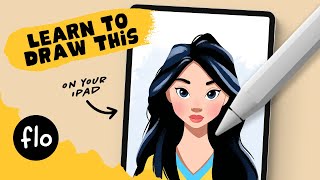
Draw a Disney-Style Character in Procreate ✨ | Step-by-Step Beginner Tutorial
Facts about digital art for kids
🎨 Procreate was made by Savage Interactive and first launched for iPad in 2011—perfect for drawing on the go!
😂 The word “meme” was coined by scientist Richard Dawkins in 1976 to describe ideas that spread like genes.
🖼️ Digital art often uses layers so you can draw, edit, and move pieces without changing the whole picture.
✏️ The Apple Pencil works with Procreate to give pressure-sensitive strokes that feel like real brushes and pencils.
🔁 Memes love to be remixed—small changes to text or faces can make a whole new joke go viral.
How do you make a meme on Procreate with LucaTheSketcher?
What materials do I need to make a meme with Procreate and LucaTheSketcher?
What ages is making a Procreate meme with LucaTheSketcher suitable for?
How can families share memes made in Procreate safely?
