Recreate a famous monument in minecraft
Build a scaled model of a famous monument in Minecraft, plan measurements, select blocks for textures, and learn about its history and design.
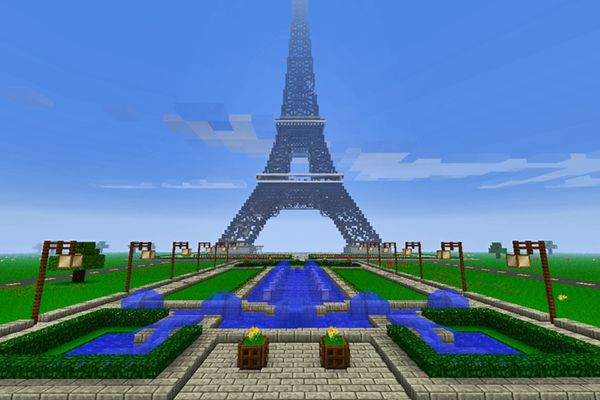
About this tutorial
Build a scaled model of a famous monument in Minecraft, plan measurements, select blocks for textures, and learn about its history and design.
What you need
Step by step
- 1
Step 1
Pick one famous monument you want to recreate and write its name at the top of your paper.
- 2
Step 2
Collect three to five reference pictures of the monument showing front side and top or side views.
- 3
Step 3
Look up the monument’s real-world height and width and write those numbers down.
- 4
Step 4
Read and note three interesting facts about the monument’s history or design on your paper.
- 5
Step 5
Choose a building scale for Minecraft and write the conversion rule such as 1 block equals 1 meter.
- 6
Step 6
Draw a simple top view and front view of the monument on your paper and convert the real measurements into Minecraft blocks using your ruler.
- 7
Step 7
Open Minecraft and build small 3 by 3 sample swatches of different blocks to compare which best match the monument’s colors and textures.
- 8
Step 8
Place an outline on the ground in Minecraft to mark the monument’s footprint using the block measurements from your plan.
- 9
Step 9
Build the monument’s main shapes layer by layer following your drawn plan.
- 10
Step 10
Add architectural details like arches columns and staircases using stairs slabs and smaller blocks.
- 11
Step 11
Apply texture and color variation using your chosen block swatches to match the reference pictures.
- 12
Step 12
Compare your Minecraft build to the reference images and adjust proportions or blocks where needed.
- 13
Step 13
Place a sign or write a Minecraft book with the monument’s name and two short history facts you learned.
- 14
Step 14
Take a final look at your model and share your finished creation on DIY.org
Fun facts
How do you recreate a famous monument in Minecraft?
Start by picking a monument and collecting reference photos and measurements. Choose a scale (for example, 1 block = 1 meter) and sketch a simple plan on graph paper or a digital grid. Mark the footprint in Minecraft, build layer by layer from the foundation up, and block out the main shapes before adding details. Select blocks for colors and textures, refine proportions, then add landscaping and informational signs about the monument’s history.
What materials and tools do I need to recreate a famous monument in Minecraft?
You’ll need Minecraft (Java or Bedrock) on a computer, console, or tablet, plus a stable device and internet if using online resources. Gather reference images, measurements, and a simple scale calculator or graph paper. Optional tools: WorldEdit or creative-mode commands for large projects, a texture guide, screenshot software, and parental supervision for downloads. Patience, a notebook for planning, and basic controller or keyboard skills are helpful.
What ages is recreating a famous monument in Minecraft suitable for?
This activity suits kids roughly ages 7 and up, with simpler builds appropriate for younger children (5–6) with adult help. Older kids and teens can handle detailed scaling, block choice, and historical research independently. Tailor complexity: younger children can copy pre-made pixel templates while older children plan measurements, use mods, and add architectural details. Supervise online interactions and downloads for safety at all ages.
What are the benefits of building a famous monument in Minecraft for kids?
Building monuments teaches spatial reasoning, planning, basic math (scaling and measurements), and research skills through studying history and design. It boosts creativity, problem-solving, teamwork if done with others, and patience while refining details. The project can also introduce digital design tools and responsible online behavior. Encourage reflection by having kids present their model and what they learned about the monument’s cultural importance.
Watch & Learn
Need help?
What can we use instead of a ruler or printed reference pictures if we don’t have them?
If you don't have a ruler or printer, use graph paper or draw a grid on plain paper to convert measurements into block units and use photos or screenshots on a phone or tablet for the three to five reference pictures.
My outline footprint in Minecraft doesn't match the measurements on my paper — what should I check?
If the footprint is off, recheck your chosen building scale (for example your written conversion rule like 1 block = 1 meter), recount blocks along each edge, and use Minecraft coordinates or temporary marker blocks to measure the plan on the ground before building up layers.
How can I adapt this activity for different ages or skill levels?
For younger kids pick a simpler monument and use a larger scale (e.g., 1 block = 2 meters) with parental help for the drawing and outline steps, while older kids can research exact height/width, draw precise top and front views, and add detailed arches, columns, stairs and slabs.
What are easy ways to extend or personalize the finished monument?
To enhance your build, experiment with the 3x3 block swatches for richer texture and color variation, add landscaping or interior rooms, install redstone lighting or moving parts, and create a Minecraft book with the monument's name and your two short history facts before sharing on DIY.org.