Sophi's DIY Sports & Activities Edit Contest
Make a short edited video showing three DIY backyard sports activities using phone clips, simple edits, and captions to enter a friendly contest.



Step-by-step guide to create an entry for Sophi's DIY Sports & Activities Edit Contest
Step 1
Choose three different DIY backyard sports activities you can show in one short video.
Step 2
Write one short rule and one winning move for each activity on your paper.
Step 3
Set up the backyard areas and place the props for all three activities.
Step 4
Do one quick practice run of each activity to make sure they work and are fun.
Step 5
Record a 10 to 20 second clip of Activity 1 showing the start and the winning moment.
Step 6
Record a 10 to 20 second clip of Activity 2 showing the start and the winning moment.
Step 7
Record a 10 to 20 second clip of Activity 3 showing the start and the winning moment.
Step 8
Open a simple video editing app and import your three clips into a new project.
Step 9
Trim each clip so it shows the most exciting 5 to 12 seconds.
Step 10
Add a title card at the start with the contest name and your name.
Step 11
Add a short caption to each clip naming the activity and giving one quick tip.
Step 12
Add simple transitions between the clips to make the video flow.
Step 13
Add a fun background music track and set the music volume low so sounds can be heard.
Step 14
Export and save your finished video to your device.
Step 15
Share your finished creation on DIY.org to enter Sophi's DIY Sports & Activities Edit Contest.
Final steps
You're almost there! Complete all the steps, bring your creation to life, post it, and conquer the challenge!

Help!?
What can we use if we don't have the exact props or a tripod mentioned in the instructions?
If you don't have cones or sport props, use plastic bottles, stuffed socks, or rolled towels for the backyard areas and prop your phone on a stack of books or a beanbag instead of a tripod when recording clips to import into your editing app.
What should we do if a practice run or recording doesn't show a clear winning moment or the clip is shaky?
If a practice run shows props falling or a shaky recording, secure or weight the props, stabilize the phone with a heavier base, then re-record and trim the clip in the editor so the clear winning moment fits the 5–12 second target.
How can we adapt the contest steps and activities for younger or older kids?
For younger kids, pick simpler activities with soft props, write one short rule and a single easy winning move per activity, and trim clips to 5–8 seconds, while older kids can add harder winning moves, longer clips up to 20 seconds, and more detailed captions and transitions.
What are quick ways to make the final edit more polished or personal before exporting and sharing on DIY.org?
To enhance the video, create a custom title card with the contest name and your name, splice in a slow‑motion or second‑angle shot of each winning move into the trimmed 5–12 second clips, add low‑volume background music and short captions, and include a fun final scoreboard graphic before exporting.
Watch videos on how to create an entry for Sophi's DIY Sports & Activities Edit Contest
Ultimate Backyard Olympics: 10 Fun DIY Outdoor Games For Kids With An Olympic Twist
4 Videos
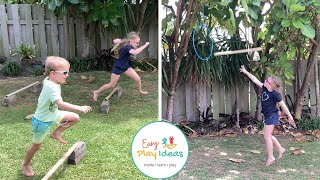
Ultimate Backyard Olympics: 10 Fun DIY Outdoor Games For Kids With An Olympic Twist
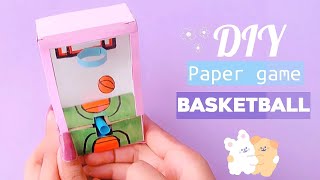
how to make basketball paper game /handmade paper game basketball /DIY paper game
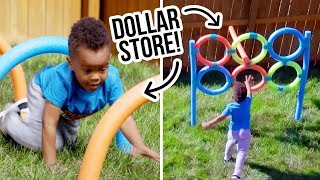
DIY Dollar Store Backyard Obstacle Course - HGTV Handmade
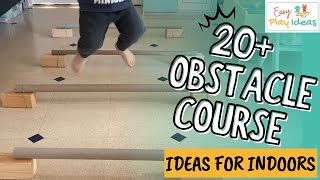
PLAY INSPIRATION | 20 Plus Easy DIY Indoor Obstacle Course Ideas
Facts about video editing for kids
✂️ Short, snappy edits and clear captions help viewers follow along quickly — many viral short videos are under 60 seconds.
🏡 Backyards make perfect DIY arenas: obstacle courses, target tosses, and mini-soccer are easy to set up with household items.
🏅 Editing three clips into a highlight reel teaches storytelling (beginning, middle, end) and makes your video feel like a mini-movie.
🎥 Many filmmakers now shoot and edit whole videos using only a smartphone — it's like a pocket movie studio!
🔇 Up to 85% of social video views happen with the sound off, so captions and visuals really boost watchability.
How do I make the short edited video for Sophi's DIY Sports & Activities Edit Contest?
What materials and apps do I need to create the contest video?
What ages is Sophi's DIY Sports & Activities Edit Contest suitable for?
What safety tips should we follow while filming backyard sports?



One subscription, many ways to play and learn.
Only $6.99 after trial. No credit card required