Share Your Camera Setup For Your Next Stop Motion Project
Create and share a simple stop motion camera setup using a smartphone, stable tripod or stack, consistent lighting, and test frames to animate small toys.


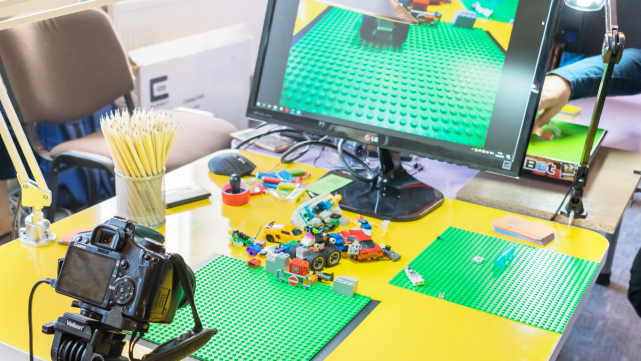

Step-by-step guide to share your camera setup for your next stop motion project
Step 1
Clear a flat table so you have lots of room for your stop motion scene.
Step 2
Tape or prop the plain background paper upright behind the table area where your toys will move.
Step 3
Set up the lamp so it lights the whole scene evenly and leave it on while you film.
Step 4
Place your small toys on the table where you want the action to begin.
Step 5
Mount your smartphone on the tripod or on a stable stack of books so it will not wobble.
Step 6
Point the phone camera so the whole scene fits in the frame and looks how you want.
Step 7
Open your stop-motion app on the phone.
Step 8
Lock the app’s focus and exposure or switch to manual mode so the picture stays the same.
Step 9
Take three quick test frames of your scene to make sure the camera and lighting look right.
Step 10
Play back the test frames to check for smooth motion and make small fixes if anything looks wrong.
Step 11
Move a toy a tiny bit and take a new frame; repeat this tiny-move then take-frame step until your scene is finished.
Step 12
Export or save your finished stop motion video and then share your creation on DIY.org
Help!?
What can we use if we don't have a tripod or plain background paper?
If you don't have a tripod or plain background paper, prop the smartphone on a stable stack of books and tape up a bedsheet, poster board, or painted cardboard upright behind the table as your background.
My stop motion looks jumpy or the lighting keeps changing — what should I check?
If your footage is jumpy or lighting changes, re-stabilize the phone on the tripod or books, keep the lamp on the whole time, lock the app's focus and exposure (or use manual mode), and retake the three quick test frames to check playback for smooth motion.
How can we change this activity for different age groups?
For younger kids have an adult mount the smartphone and use bigger toy moves with fewer frames, while older kids can lock focus/exposure themselves, make tinier moves for smoother motion, and create more detailed backgrounds and scenes.
How can we make our stop motion project more interesting or personal?
Enhance your project by decorating the plain background paper with painted scenery, adding extra lamps for creative lighting, trying different camera angles by lowering or raising the tripod or book stack, and adding music or a voiceover when you export to share on DIY.org.
Watch videos on how to share your camera setup for your next stop motion project
How to Make Easy Stop Motion Animation Videos with Kids
4 Videos
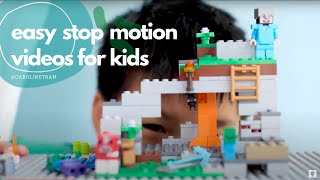
How to Make Easy Stop Motion Animation Videos with Kids
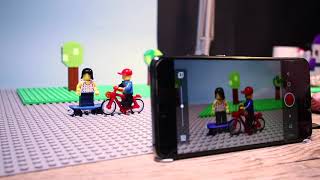
02 Camera - Stop Motion Studio Tutorial
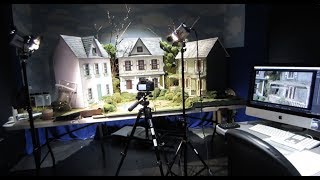
Setting Up To Shoot In Stop Motion

Set Up For Stop Motion Animation Part 3/3—Cameras & Software
Facts about stop motion filmmaking for kids
🎬 Stop-motion animation goes back to the very earliest movies in the late 1800s — people have been animating toys for over a century!
📱 Many modern stop-motion creators use smartphones because they can shoot clear frames and run easy editing apps right on the phone.
📷 A steady camera matters: a tripod or a stack of books keeps each frame aligned so your animation looks smooth instead of jittery.
💡 Consistent lighting is more important than fancy lights — even a single cloud passing can cause flicker in your final movie.
🎥 Famous films like Wallace and Gromit and The Nightmare Before Christmas show how magical frame-by-frame toy movement can be.
How do I create and share a simple stop motion camera setup with a smartphone?
What materials do I need for a kid-friendly stop motion camera setup?
What ages is this stop motion camera setup suitable for?
What easy variations can we try for a stop motion camera setup?
