Create Your First Stop Motion Animation
Make a short stop motion animation using toys or paper, a camera or smartphone, moving objects frame by frame and compiling frames into video.


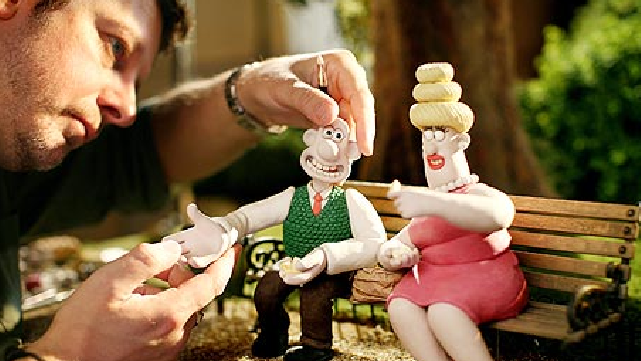

Step-by-step guide to create your first stop motion animation
Step 1
Think of a very short idea for your animation like "toy walks" or "paper rocket flies" and say it out loud.
Step 2
Decide whether you will use small toys or make paper characters for your story.
Step 3
If you choose paper characters draw color and cut them out using colouring materials scissors and glue.
Step 4
Stick each character to a small base or use tape or poster putty so they can stand on the stage.
Step 5
Clear a flat table and tape your background paper or fabric behind the area where your characters will move.
Step 6
Put your phone or camera on a small tripod or a stack of books and frame the whole stage in the screen.
Step 7
Turn on a lamp and point it so the stage is bright and evenly lit without strong shadows.
Step 8
Place your characters in the first starting pose on the stage.
Step 9
Press the camera shutter to take the first photo of your starting pose.
Step 10
Move your characters a very small amount toward the next pose.
Step 11
Take another photo with the camera.
Step 12
Repeat Steps 10 and 11 until your short story has all the little moves you need.
Step 13
Look through your photos and delete any that are blurry or where something moved by accident.
Step 14
Open a stop motion app or video editor import your photos and make a video by setting the frame rate to about ten frames per second then export the video.
Step 15
Share your finished stop motion animation on DIY.org
Help!?
What can I use if I don't have a tripod or poster putty?
Use a stable stack of books or a small cereal box to hold your phone steady (step 6) and replace poster putty with double-sided tape, a rolled piece of tape, or a small lump of modeling clay to stick characters to their bases (step 4).
My photos keep coming out blurry or things move by accident — how do I fix that?
Prevent blur and accidental moves by putting the phone firmly on a tripod or stack of books and using the camera's self-timer or a remote shutter (step 6 and 9), secure characters with tape or putty so they don't fall (step 4), and keep the lamp steady for even lighting (step 7).
How can I adapt this activity for different ages?
For younger kids (4–6) have adults cut big paper characters and adults or older siblings place them on taped bases while kids make big moves and take fewer photos (steps 3–5, 10–11), whereas older kids can design detailed paper or toy characters, do tiny incremental moves, take more frames, and use the app at ~10 fps for smoother motion (steps 3, 10–12).
How can we extend or personalize our stop motion to make it more special?
Enhance the film by creating painted or fabric backgrounds and small set pieces (step 5), adding sound effects or music and title cards in your stop motion app before exporting (step 12), and including a short credit screen when you share on DIY.org (step 13).
Watch videos on how to create your first stop motion animation
How to start your first Stop Motion Animation | Beginners Guide To Stop Motion | Stop-Motion Fight
4 Videos
How to start your first Stop Motion Animation | Beginners Guide To Stop Motion | Stop-Motion Fight
How To Make Stop Motion Animation
What Is Stop Motion Animation and How Does It Work? | Mashable Explains
Make a Stop Motion Animation I Activities for Children
Facts about stop-motion animation and filmmaking for kids
🎬 Stop-motion dates back to the early 1900s and was a top special effect trick long before computers existed.
🧸 Aardman Animations built famous clay characters like Wallace & Gromit using stop-motion and have won multiple Oscars.
📱 Modern smartphones can capture individual frames and, with apps, stitch them into smooth stop-motion movies.
✂️ Tiny moves make big magic: animators often move objects just a few millimeters per frame to create fluid action.
🕰️ A 10-second stop-motion clip at 12 frames per second needs about 120 photos—short movies take lots of careful pictures!
How do I create a short stop motion animation with toys or paper?
What materials do I need to make a stop motion animation at home?
What ages is stop motion animation suitable for?
What are the benefits of making stop motion animations for kids?
