Film a Slow-Mo Video
Use a smartphone or camera to film a slow-motion video of a jumping object or splash, experiment with frame rates and lighting to observe details.


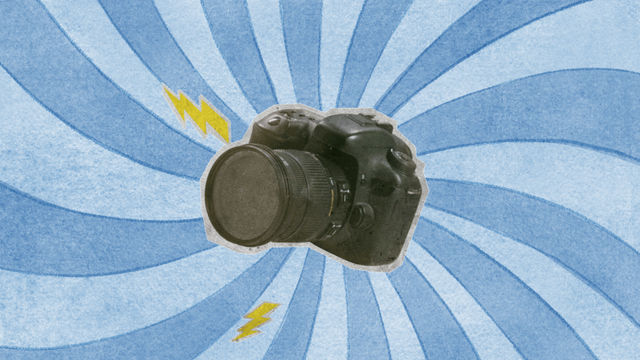

Step-by-step guide to film a slow-mo video
Step 1
Gather all the materials from the list and bring them to your filming spot.
Step 2
Choose whether you will film a jumping object or a splash in the water.
Step 3
Mount your smartphone or camera on the tripod or place it on a stable stack of books so it won’t move.
Step 4
Put the towel or plain background behind the area where the action will happen.
Step 5
Turn on the lamp or move your setup near a bright window to light the scene well.
Step 6
Place your ball or toy at the launch spot or fill the shallow bowl halfway with water if you picked a splash.
Step 7
Open your camera app and switch it to slow-motion mode.
Step 8
Set the frame rate to 120fps or 240fps in your camera settings.
Step 9
Record a short test clip of a tiny jump or small splash to check framing and lighting.
Step 10
Play the test clip and watch the slow-motion details to see if you like the framing and light.
Step 11
Make small lighting or frame rate adjustments if the test clip needs improvement.
Step 12
Record several final slow-motion takes of the jump or splash while trying different frame rates or light positions.
Step 13
Choose the best take and trim the video to keep the slowest coolest moment.
Step 14
Save or export your finished slow-motion video to your device.
Step 15
Share your finished slow-motion creation on DIY.org
Help!?
What can we use if we don't have a tripod, lamp, or shallow bowl from the materials list?
If you don't have a tripod use a stable stack of books as described in step 3, use a bright window instead of a lamp per step 5, and substitute a mug or baking dish for the shallow bowl in step 6.
My slow-mo clips are shaky or too dark — how do I fix that?
Make the camera steadier by remounting it on the tripod or a sturdier book stack (step 3), add the lamp or move closer to the bright window (step 5), then record a test clip (step 9) and make small lighting or framing adjustments (step 11).
How can I change this activity for younger kids or older kids?
For younger kids, do supervised splashes with the towel and shallow bowl (steps 4 and 6) while an adult handles mounting and test clips (steps 3 and 9), and for older kids let them choose 120fps or 240fps (step 7), try different frame rates and light positions (steps 11 and 12), then trim and export their favorite take (step 14).
What are some ways to make the slow-mo video more creative or impressive?
Enhance the shot by adding a drop of food coloring to the shallow bowl for colorful splashes (step 6), experiment with side or backlighting using the lamp (step 5) to highlight droplets, and trim to the slowest coolest moment before exporting and sharing on DIY.org (steps 14 and 15).
Watch videos on how to film a slow-mo video
COMPLETE Slow Motion Video Tutorial (Shoot & Edit Slow-Mo Video!)
4 Videos
COMPLETE Slow Motion Video Tutorial (Shoot & Edit Slow-Mo Video!)
How to Make Slow Motion Video (Slow Motion Video Editing Tutorial)
How To Make a Slow Motion Edit in Premiere Pro | Adobe Video x @filmriot
How to slow-mo a video
Facts about videography for kids
🐢 Slow motion makes fast things look slow by recording more frames per second than regular movies, which usually use 24 fps.
📷 Some high-speed cameras can capture thousands — or even millions — of frames per second to study super-fast events.
⏱️ Many smartphones offer 120 or 240 fps slow‑motion modes; higher fps creates smoother slow motion but needs brighter light.
💡 When you film at high frame rates each frame gets less light, so using sunlight or extra lamps keeps footage bright and clear.
💦 Slow-mo reveals awesome details in splashes and jumps — like water crowns and tiny droplets that you can't see in real time.
How do I film a slow-motion video of a jumping toy or splash?
What materials do I need to film slow-motion videos with a smartphone?
What ages is filming slow-motion video suitable for and when should an adult help?
What are some fun variations to try when shooting slow-motion videos?
