Edit Multiple Tracks on Your Podcast
Edit multiple audio tracks to create a short podcast episode, arranging dialogue, music, and sound effects using kid-friendly editing software and basic mixing skills.


Step-by-step guide to Edit Multiple Tracks on Your Podcast
Step 1
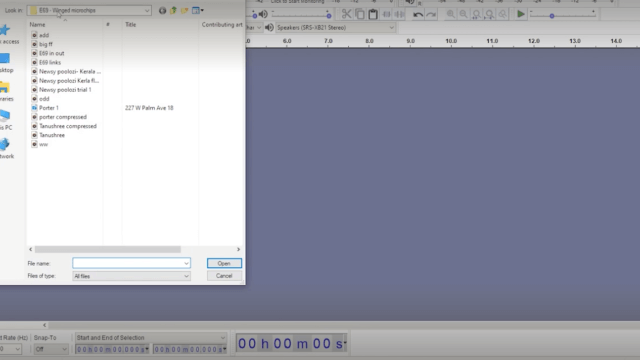
Open your audio editing program and create a new project.
Step 2
Import your dialogue recordings into the project.
Step 3
Put each dialogue clip on its own track in the order the story should be heard.
Step 4
Trim the start and end of each dialogue clip to remove silence or mistakes.
Step 5
Import your music file and place it on a track under the dialogue tracks.
Step 6
Trim the music so it matches the length of your episode.
Step 7
Lower the music track volume so the voices are easy to hear over the music.
Step 8
Import sound effects and place each on its own track at the right moment in the timeline.
Step 9
Lower or raise each sound effect volume so effects are heard but do not cover voices.
Step 10
Add a fade in at the start of the music and a fade out at the end of the music.
Step 11
Play the whole episode from start to finish and listen for timing or volume problems.
Step 12
Make small timing or volume fixes until the episode sounds balanced.
Step 13
Export your final mix as an MP3 or WAV file and then share your finished podcast episode on DIY.org
Help!?
What can we use if we don't have the exact music file or sound effects?
Use royalty-free music from sites like Free Music Archive or record simple sound effects with a phone, then import them as your music file and sound effects tracks.
Why do voices still sound quiet even after lowering the music, and how do we fix it?
If voices remain quiet after lowering the music track volume, solo each dialogue track, increase clip gain or normalize the dialogue, then fine-tune the music level and reapply the fade in/out so voices stay clear.
How can I adapt this project for different age groups?
For younger kids use just two tracks (dialogue and music) with an adult helping to import and trim clips, while older kids can add multiple sound effect tracks, precise trimming, and volume automation per the instructions.
How can we make the episode more creative or professional before exporting?
Personalize the episode by recording custom sound effects, adding subtle EQ or compression to dialogue tracks, and creating a short voice intro/outro before exporting the final mix as an MP3 or WAV to share on DIY.org.
Watch videos on how to Edit Multiple Tracks on Your Podcast
Kindergarten Kids Learning Videos Compilation
4 Videos

Kindergarten Kids Learning Videos Compilation
Tidal's New Track Editing Feature - Hands On Review

3rd Grade Kids Learning Videos Compilation
![FL Studio 11 - Professional Audio Clip Editing [+ Mixer Tutorial]](https://img.youtube.com/vi/YapeL4724bU/mqdefault.jpg)
FL Studio 11 - Professional Audio Clip Editing [+ Mixer Tutorial]
Facts about audio editing and podcasting for kids
🎙️ The word "podcast" was coined in 2004 as a mash-up of "iPod" and "broadcast".
🎚️ Multitrack editing lets you move and mix dialogue, music, and effects independently—like arranging sound LEGO pieces.
🧰 Free tools like Audacity and GarageBand let kids cut, fade, and layer tracks without expensive software.
🎵 Short theme music (about 5–15 seconds) helps listeners recognize your show in just a few beats.
🔊 Clever sound effects and well-placed silence can make a tiny episode feel like a full radio adventure.
How do you edit multiple audio tracks to make a kid-friendly podcast episode?
What materials and software do I need to edit multiple tracks for a children's podcast?
What ages is editing a multi-track podcast suitable for?
What are the benefits of letting kids edit multiple tracks on a podcast?
