Stop Motion Animation Tricks With HappyB
Use your HappyB toy to make short stop-motion animations, learning frame-by-frame shooting, simple lighting, movement tricks, and basic editing to tell stories.
About this activity
Use your HappyB toy to make short stop-motion animations, learning frame-by-frame shooting, simple lighting, movement tricks, and basic editing to tell stories.
What you need
Step by step
- 1
Step 1
Pick a short story idea for your animation such as "HappyB goes on a tiny adventure."
- 2
Step 2
Write the story idea as a short sentence on paper so you remember it.
- 3
Step 3
Gather the materials listed and bring them to your workspace.
- 4
Step 4
Tape the plain background so it stands up behind where HappyB will move.
- 5
Step 5
Arrange small props on the scene where your story will happen.
- 6
Step 6
Place the lamp so it lights the scene evenly without moving the background.
- 7
Step 7
Put your camera or phone on the stable surface or mini tripod so it will not wobble.
- 8
Step 8
Take one test photo and check that HappyB and the props are clearly visible.
- 9
Step 9
Put HappyB in the first pose for the start of your story.
- 10
Step 10
Press the camera button to take the first real frame photo.
- 11
Step 11
Move HappyB a tiny bit in the direction you want it to go.
- 12
Step 12
Press the camera button to take the next frame photo.
- 13
Step 13
Repeat Step 11 and Step 12 until your story has all the moves you want.
- 14
Step 14
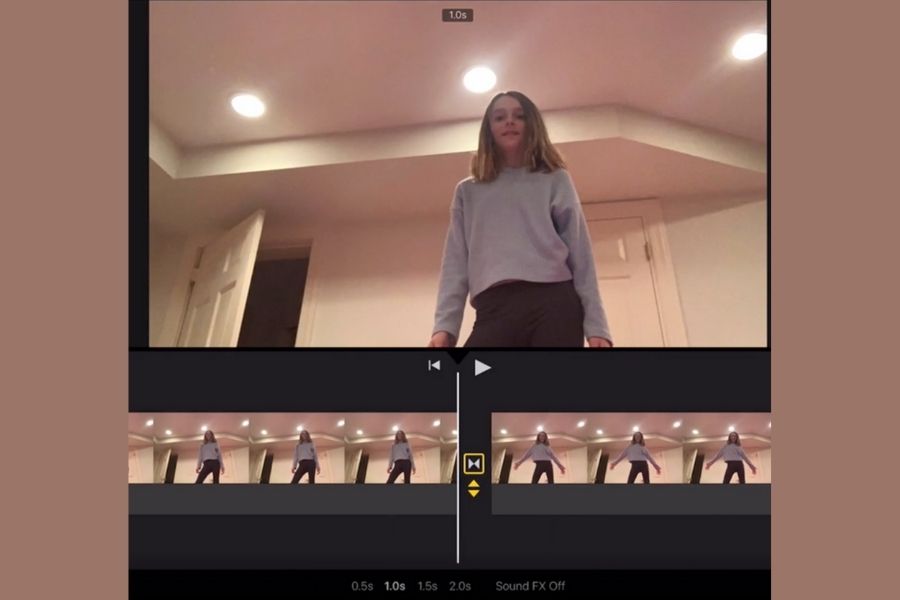
Import all the photos into a stop-motion app or video editor on your computer or tablet.
- 15
Step 15
Set the playback speed to 8 to 12 frames per second then export the final movie and share your finished creation on DIY.org
Fun facts
How do I make a stop-motion animation with my HappyB toy?
Start by scripting a short story or storyboard of three to six scenes. Set up a stable camera (phone/tablet on a tripod) and a simple backdrop. Use steady, consistent lighting. Place HappyB in the first pose, take one frame, then move HappyB slightly and take the next frame — small, consistent increments. Aim for 8–12 frames per second for smooth motion. Use a stop-motion app to onion-skin, assemble frames, trim timing, and add sound or titles.
What materials do I need for Stop Motion Animation Tricks with HappyB?
You'll need your HappyB toy, a smartphone or tablet with a stop-motion app (or a camera), and a tripod or stable stand to avoid shake. Add a simple backdrop, small props, and sticky putty or tape to steady HappyB. Two lamps or an LED light keep lighting even. Optional: extra batteries, a small table, and basic editing software for adding music or voiceovers. Most things can be household items.
What ages is stop-motion animation with HappyB suitable for?
This activity works well for children aged about 5–14. Ages 5–7 enjoy guided play with an adult controlling the camera and editing; ages 8–10 can handle frame-by-frame shooting with supervision; ages 11–14 can plan stories, experiment with movement tricks, and do basic editing independently. Tailor complexity to each child’s fine-motor skills and patience. Always supervise younger kids around small props, lights, and devices.
What are the benefits of doing stop-motion animation with my child using HappyB?
Stop-motion with HappyB teaches storytelling, sequencing, patience, and fine motor coordination. Children learn basic filmmaking concepts like framing, lighting, and editing while boosting creativity and problem-solving. Working together improves communication and collaboration, and adding voiceovers builds language skills. Short projects give fast feedback, encouraging resilience when frames need retakes. It’s low-cost, screen-based learning with hands-on activity, making it an engaging STEAM-f
Watch & Learn
Need help?
What can I use if I don't have HappyB or a mini tripod?
If you don't have HappyB, use any small toy or a paper character taped to a toothpick as the puppet, and if you lack a mini tripod, steady your phone by propping it against stacked books or a cup on the stable surface as in Step 6.
My photos are blurry or the background shifts between frames—how do I fix that?
To stop blur and background movement, firmly tape the plain background so it stays upright (Step 4), use a stable surface or heavier objects under the camera to prevent wobble (Step 6), and keep the lamp fixed in place so lighting doesn't change (Step 7).
How can I simplify or make this stop-motion activity harder for different ages?
For younger kids, have an adult set up the camera and do larger, fewer moves of HappyB (Steps 10–12), while older kids can add more tiny incremental moves, more detailed props (Step 5), and shoot at a faster frame count within 8–12 fps for smoother motion (Step 15).
How can we extend or personalize the animation after exporting the movie?
Enhance your film by importing the frames into the stop-motion app (Step 14) to add sound effects or titles, try different playback speeds between 8–12 fps (Step 15), and customize the background and props (Steps 4 and 5) before sharing on DIY.org.