Mix your own track on Bandlab
Create and mix your own song on BandLab using loops, recorded sounds, effects, and volume controls, learning arranging and basic audio skills with supervision.


Step-by-step guide to mix your own track on BandLab
Step 1
Open BandLab and sign in to your account.
Step 2
Tap the Create button or + to start a new project.
Step 3
Open the Loops library to see beats and sounds you can use.
Step 4
Drag a loop you like into the timeline to make your first track.
Step 5
Add more loops to build layers like drums bass and a melody.
Step 6
Press the Record button and record a short sound or sing into the mic.
Step 7
Drag your recorded clip to the place in the timeline where it fits best.
Step 8
Select a track and add an effect like reverb or EQ to change its sound.
Step 9
Use the volume faders to make each track quieter or louder so they balance.
Step 10
Use the pan control to move some sounds left or right in the stereo field.
Step 11
Add simple fades or volume automation to make sections start and end smoothly.
Step 12
Save or export your finished mix as an audio file.
Step 13
Share your finished song and what you learned on DIY.org.
Help!?
What can we use if we don't have a microphone to record our short sound or sing in step 6?
Use your phone's built-in microphone, the computer's internal mic, or skip recording and import a pre-recorded audio file into the timeline instead of using the mic.
Why won't loops drag into the timeline or why is my recording silent, and how can I fix it?
If loops won't drag or recordings are silent, make sure you've tapped Create to open a project, grant BandLab microphone and file permissions, select/arm the correct track for recording, and check the volume faders and input gain so the sound is audible.
How can we adapt the steps for different ages so kids stay engaged?
For younger kids, focus on steps 3–5 by letting them pick and drag loops from the Loops library to build layers, while older kids can add steps 6–11 like recording vocals, applying reverb or EQ, using pan and automation, and exporting the mix.
How can we extend or personalize the activity after saving the mix so it feels special?
To enhance the project, record extra takes (step 6), import custom sounds, add more effects and volume automation (steps 8–11), collaborate with friends in BandLab, then export the final audio and share what you learned on DIY.org (step 12–13).
Watch videos on how to mix your own track on BandLab
BandLab | Beginner's Guide to Music Creation
4 Videos
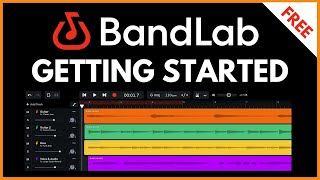
BandLab | Beginner's Guide to Music Creation
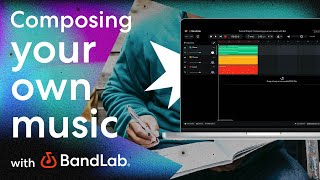
Composing your own music using BandLab's free web Studio (BandLab Tutorial)
![BandLab Bootcamp For Beginners [In-Depth BandLab Tutorial]](https://img.youtube.com/vi/TAHn_0Vy-Zg/mqdefault.jpg)
BandLab Bootcamp For Beginners [In-Depth BandLab Tutorial]
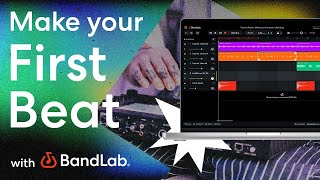
How to make your first beat using BandLab's free web Studio (BandLab Tutorial)
Facts about music production for kids
🎧 BandLab is a free cloud-based digital audio workstation and social platform where you can record, mix, and collaborate from a browser or phone.
🔁 A "loop" is a short musical phrase that repeats — many producer-friendly loops are 1–8 bars long so they slot into song sections easily.
🎚️ Mixing blends volume, panning, EQ, and effects (like reverb and delay) so each instrument sits clearly in the song.
🎙️ Everyday noises (claps, cups, toy squeaks) can be recorded and turned into samples to make totally unique tracks.
🌍 BandLab supports real-time collaboration, letting musicians around the world build and mix songs together.
How do you create and mix your own song on BandLab?
What materials do I need to mix a track on BandLab?
What ages is mixing on BandLab suitable for?
What safety tips should parents follow when kids use BandLab?
