Play Mary Had a Little Lamb
Learn to play 'Mary Had a Little Lamb' on a keyboard or recorder, practicing melody, rhythm, and simple musical notation.


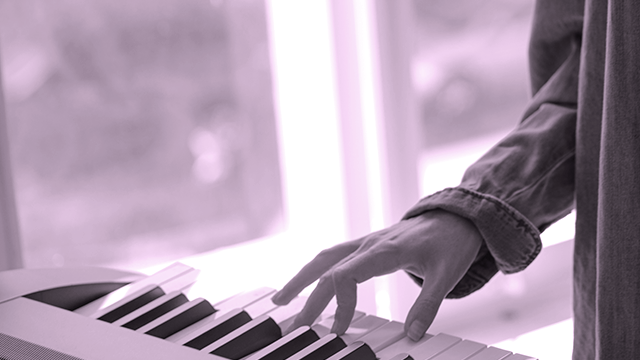
Step-by-step guide to play Mary Had a Little Lamb on keyboard or recorder
Step 1
Place your keyboard or recorder and the printed music in front of you and sit comfortably.
Step 2
Tap a steady beat with your foot or hand while counting "1 2 3 4" to feel the song's rhythm.
Step 3
Point to each note on the printed music and say the note names aloud: E D C D E E E / D D D / E G G / E D C D E E E E D D E D C.
Step 4
Keyboard players: find middle C and then find D and E to the right so you can play the notes you said.
Step 5
Recorder players: ask an adult to show you the fingerings for E D C and G before you start playing.
Step 6
Play the first phrase E D C D E E E slowly three times, one note per beat.
Step 7
Play the second phrase D D D slowly two times, keeping the same steady beat.
Step 8
Play the third phrase E G G slowly two times, matching your beat.
Step 9
Play the full song slowly by joining the phrases and keep the steady beat.
Step 10
When it sounds smooth and steady, try playing the song a little faster while staying clean.
Step 11
Share your finished creation on DIY.org.
Help!?
What can we use if we don't have a keyboard, recorder, or printed music?
Use a piano app or virtual keyboard on a tablet or a xylophone/toy keyboard instead of the keyboard, substitute a whistle or kazoo for the recorder if needed, and display the printed music on a screen or quickly write the note sequence E D C D E E E / D D D / E G G / E D C D E E E E D D E D C on paper.
I'm stuck finding middle C or keeping a steady beat—what should we try?
Put a sticker on middle C, have the child tap a steady '1 2 3 4' beat with their foot while pointing to the printed notes, and slow the tempo so each phrase like E D C D E E E can be played one note per beat until it sounds smooth.
How can we adapt this activity for younger or older kids?
For younger children, simplify by clapping the rhythm and saying note names while practicing only the first phrase (E D C D E E E) with adult help for recorder fingerings, and for older children add faster tempos, dynamics, and practice joining all phrases into the full song to play cleanly.
How can we extend or personalize the finished Mary Had a Little Lamb performance?
Add personalization by singing the lyrics while playing, creating a second-part accompaniment (for example play G or C in the left hand), decorating the printed music, and record the performance to share on DIY.org.
Watch videos on how to play Mary Had a Little Lamb on keyboard or recorder
Easy Baby Shark Piano Tutorial for Beginners
4 Videos
Easy Baby Shark Piano Tutorial for Beginners

We Wish You a Merry Christmas Piano Tutorial | Super Easy Version
OLD VERSION - How to Play Piano Basics - First Song
How to play The Legend of Zelda on Piano - Easy Piano Tutorial
Facts about music lessons for kids
🎵 "Mary Had a Little Lamb" began as an 1830 poem by Sarah Josepha Hale and became a nursery song sung around the world.
🎶 The tune fits comfortably within one octave and has a stepwise, singable melody — ideal for beginners learning fingerings.
🪈 The recorder is one of the most common starter instruments in schools because it's light, inexpensive, and teaches breath control.
🎹 Many beginner keyboards label keys or have light-up guides so kids can quickly find notes like C, D, E to play the song.
📝 Learning a few simple notation symbols (note names, quarter and half notes) helps kids read and play melodies in just a few lessons.
How do I teach my child to play 'Mary Had a Little Lamb' on a keyboard or recorder?
What materials do I need to teach 'Mary Had a Little Lamb' on a keyboard or recorder?
What ages is learning 'Mary Had a Little Lamb' on a keyboard or recorder suitable for?
What are the benefits of learning 'Mary Had a Little Lamb' on an instrument?
