Find A Course You Like & Share
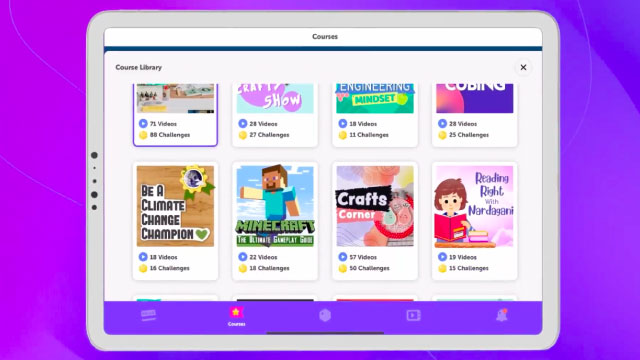
Explore several courses online or in-person, choose one you like, make a short review or poster, and share it with friends or family.
About this activity
Explore several courses online or in-person, choose one you like, make a short review or poster, and share it with friends or family.
What you need
Step by step
- 1
Step 1
Decide if you will explore courses online or visit in-person.
- 2
Step 2
Write a list of at least three courses you might like on a piece of paper.
- 3
Step 3
For each course write two short facts about it on your paper.
- 4
Step 4
Give each course a score from 1 to 5 for fun time and cost.
- 5
Step 5
Pick the course with the highest total score.
- 6
Step 6
Choose whether you will make a short written review or a colorful poster.
- 7
Step 7
Write a three sentence review saying why you picked the course what you hope to learn and who might enjoy it.
- 8
Step 8
Neatly place your review on a clean sheet of paper or start your poster layout.
- 9
Step 9
Decorate your review or poster with drawings colours and stickers.
- 10
Step 10
Practice saying your review out loud one time to a friend or family member.
- 11
Step 11
Ask the friend or family member for one helpful suggestion about your review.
- 12
Step 12
Make one change to your review or poster based on that suggestion.
- 13
Step 13
Share your finished review or poster on DIY.org
Fun facts
How do we do the 'Find a Course You Like & Share' activity?
To do the activity, set aside time to explore several courses online or in person. Help your child browse a few options, read descriptions, watch sample lessons, or visit open days. Ask them to pick one they like and take notes on topics, length, cost, and why they chose it. Together create a short review or colorful poster summarizing key points and a rating. Finally, share it with friends or family by presenting, posting a photo, or emailing it.
What materials do I need for the 'Find a Course You Like & Share' activity?
All you need is a device with internet access (tablet, computer, or phone) or transportation for in-person visits, plus paper, markers, colored pencils, or basic poster supplies for making a review. Optional: printer, scissors, glue, stickers, index cards, and a camera or phone to take screenshots or photos. Have a notebook and pen for notes and a quiet space to work together.
What ages is the 'Find a Course You Like & Share' activity suitable for?
This activity works well for kids roughly aged 5–16 with adjustments. Ages 5–7 need adult help choosing courses and making a simple poster; use pictures and short sentences. Ages 8–11 can research with guidance and create basic reviews or videos. Ages 12–16 can evaluate options independently, compare costs and schedules, and make detailed presentations. Always supervise online searches and help younger children understand safety and privacy.
What are the benefits of doing the 'Find a Course You Like & Share' activity?
Doing this activity builds decision-making, research, and communication skills. Children learn to compare options, summarize information, and express why they like something—boosting confidence and critical thinking. Creating a review or poster practices writing, design, and verbal presentation skills, while sharing with friends or family strengthens social skills and pride in their work. It also teaches digital literacy when exploring online courses and encourages curiosity about learning new t
Watch & Learn
Need help?
What can we use instead of stickers, colorful markers, or a poster board if we can't find them?
If you don't have stickers, colorful markers, or poster board to decorate your review or poster, use colored pencils or crayons, glue cut-out pictures from magazines onto a clean sheet of paper, and take a photo of the finished review to upload to DIY.org.
What should we do if we can't decide which course has the highest total score after rating them 1–5 for fun, time, and cost?
If scores tie when you 'Pick the course with the highest total score,' break the tie by counting which course has more top (4–5) ratings or ask your practice friend during the 'Practice saying your review' step which one sounds more fun to them.
How can we adapt this activity for younger or older children?
For younger kids, make 'Write a list of at least three courses' into drawing the courses while an adult writes the two short facts and scores, and for older kids have them research exact costs, create a detailed digital poster, or expand the three-sentence review before sharing on DIY.org.
How can we enhance or personalize our review or poster beyond the basic instructions?
To enhance the project, add photos or a short video of you trying a related activity, include a simple one-week plan of what you hope to learn, and note the helpful suggestion you used before uploading the updated review or poster to DIY.org.