Name Your Favorite Restaurant Using Sign Language
Learn and practice the American Sign Language alphabet to spell your favorite restaurant's name, record yourself signing, and share the video with family.


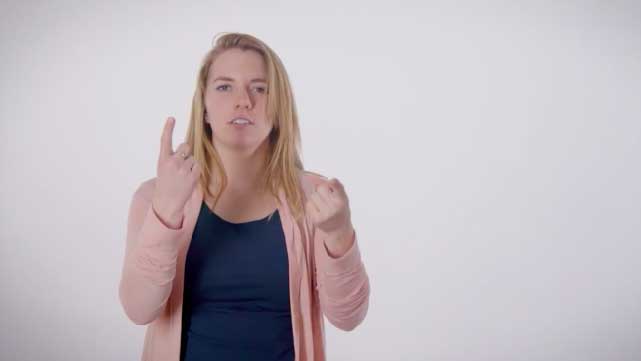

Step-by-step guide to name your favorite restaurant using sign language
Step 1
Gather your ASL chart paper pencil and sit in a quiet space.
Step 2
Write the name of your favorite restaurant in big letters on the paper.
Step 3
Look at the ASL alphabet chart and trace each letter's handshape with your finger to remember them.
Step 4
Shake your hands and wiggle your fingers to warm up your hands and wrists.
Step 5
Find the first letter of your restaurant on the chart and make that handshape with your dominant hand.
Step 6
Repeat making each handshape for every letter of the restaurant name, one letter at a time.
Step 7
Use the mirror to check your handshapes and make small corrections as needed.
Step 8
Sign the whole restaurant name slowly in the air, one letter at a time, without stopping.
Step 9
Practice signing the whole name three times in a row so it feels smooth.
Step 10
Record a video of yourself signing the restaurant name from start to finish.
Step 11
Show the video to a family member and tell them what you spelled using sign language.
Step 12
Upload and share your finished signing video on DIY.org so others can see your favorite restaurant name.
Help!?
If I don't have a printed ASL chart or a mirror, what can I use instead?
Use a reputable ASL alphabet image or app on a tablet or phone to trace handshapes and use your phone's selfie camera as a mirror to check handshapes before recording the final video.
My handshapes look different in the video—what should I fix?
Do the shake-and-wiggle warm-up again, slowly trace each letter's handshape from the ASL chart while watching yourself in the mirror or camera, and repeat the whole name three times to smooth out the shapes.
How can I adapt this activity for younger kids or older kids?
For younger children write and sign a very short restaurant name with hand-over-hand help for tracing and mirror checks, while older kids can sign longer names, time themselves doing three smooth runs, and double-check palm orientation on the chart.
How can we extend or personalize the activity after recording the video?
Decorate your ASL chart and paper with stickers or drawings of the restaurant's food, add letter captions to your video, and try signing two favorite restaurants back-to-back before uploading to DIY.org.
Watch videos on how to name your favorite restaurant using sign language
Signs Related to Restaurants | ASL Glossary | The ASL Shop
4 Videos
Signs Related to Restaurants | ASL Glossary | The ASL Shop
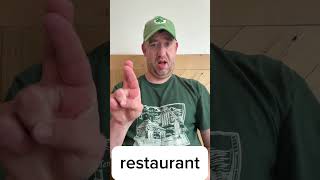
ASL sign for restaurant / Learn ASL
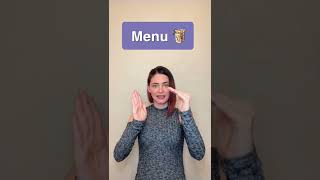
Restaurant Signs in American Sign Language #shorts
Learn ASL: 50 Phrases to Sign with Store or Restaurant Customers! (Basic beginner sign language)
Facts about American Sign Language for kids
👐 American Sign Language (ASL) is a full natural language with its own grammar — not just English on the hands.
🤟 ASL uses a 26-letter manual alphabet (fingerspelling) to spell names, brands, and places.
🎬 Recording yourself signing is a great study trick — watching videos helps you spot and fix little mistakes.
🧠 Learning sign language can sharpen visual attention, memory, and how you use space to communicate.
🗣️ ASL has its own rich storytelling and poetry traditions that use movement, facial expressions, and body space.
How do we do the "Name Your Favorite Restaurant" sign language activity?
What materials do I need to teach my child to spell a restaurant name in ASL?
What ages is the sign language restaurant-naming activity suitable for?
What are the benefits and safe variations of this ASL restaurant-signing activity?
