Play a song using note blocks in Minecraft
Design and build a simple Minecraft note block song, arranging blocks and redstone to play melodies while learning rhythm, pitch, and basic circuits.


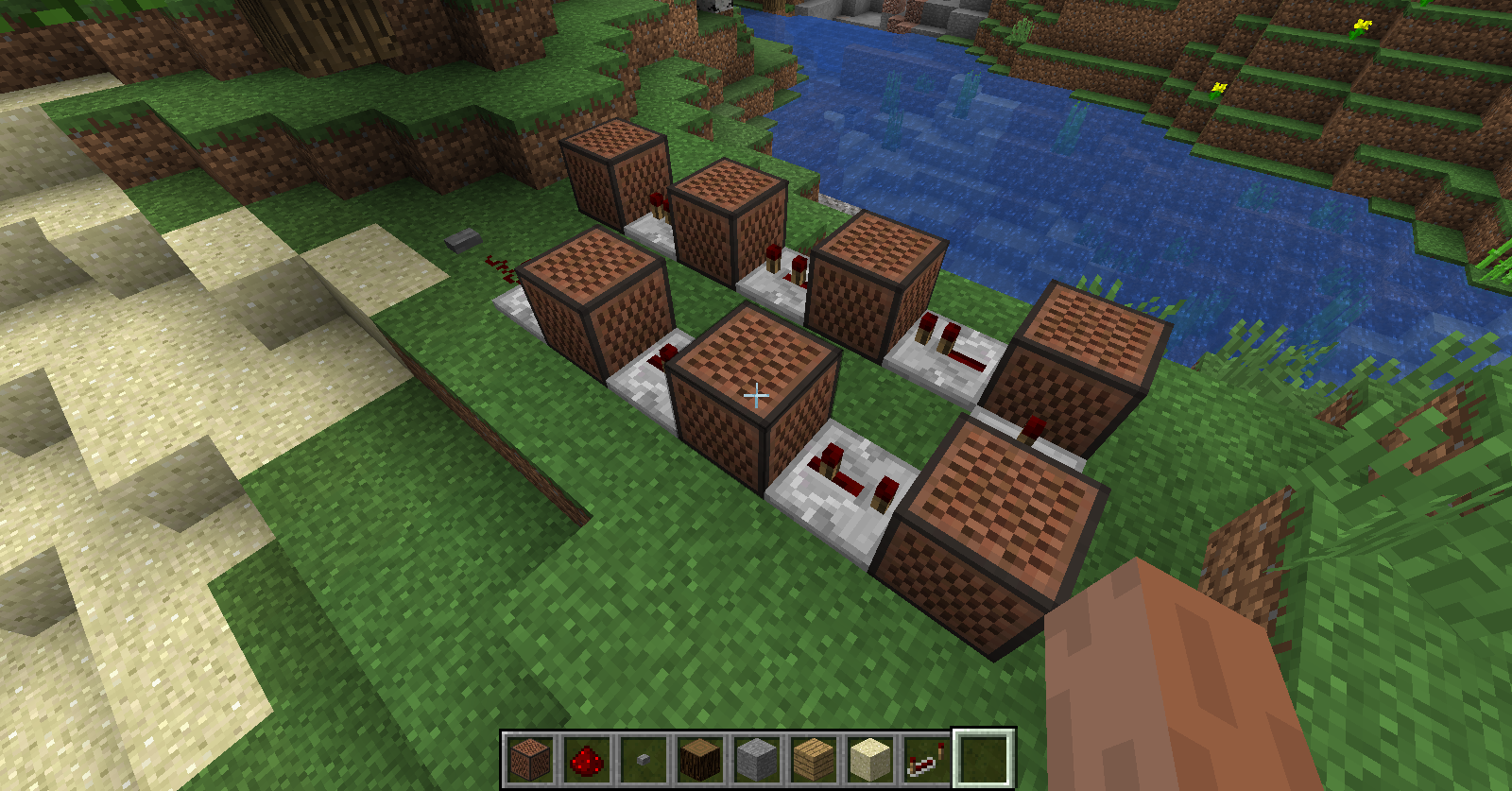
Step-by-step guide to design and build a simple Minecraft note block song
Step 1
Open Minecraft in Creative mode and load a flat area to build your music machine.
Step 2
Choose and clear a 10 by 5 block flat space to build on.
Step 3
Place a straight line of eight note blocks on the ground and leave one row of space behind them for wiring.
Step 4
Put a different solid block under each note block to change the instrument sound for each note.
Step 5
Right-click each note block to set the pitch for a simple 8-note melody you like.
Step 6
Lay redstone dust in the row behind the note blocks to connect them into a circuit.
Step 7
Place redstone repeaters along the redstone line to give each note the timing you want.
Step 8
Put a button or lever at the start of the redstone line to act as your music trigger.
Step 9
Press the button or flip the lever to play your song and listen carefully.
Step 10
Adjust repeater delays or tweak note block pitches until the rhythm and melody sound right.
Step 11
Share your finished creation on DIY.org
Help!?
What can we use instead of a button or lever to start the song if we don't have one?
Use a pressure plate or tripwire hook placed at the start of the redstone line behind the note blocks to trigger the circuit instead of a button or lever.
Why does nothing happen when I press the button and how do I fix it?
If the song doesn't play, check that the redstone dust row behind the eight note blocks is continuous, each redstone repeater is facing toward the note blocks, and every note block has a solid block under it as required to change instruments and allow sound.
How can I change the activity to suit different ages?
For younger kids, shrink the project to a 4-note line in a smaller cleared area and set simple pitches by right-clicking each note block once, while older kids can use the full 8-note layout, fine-tune repeater delays for complex rhythms, or add redstone loops for repeats.
What are easy ways to improve or personalize our music machine before sharing it on DIY.org?
Personalize it by choosing different solid blocks under each note block to change instruments, adding redstone lamps wired to the repeater outputs so lights flash with each note, labeling notes with signs, and decorating the 10x5 build area before sharing on DIY.org.
Watch videos on how to design and build a simple Minecraft note block song
Making Music With Note Blocks! ▫ The Minecraft Survival Guide (Tutorial Let's Play) [Part 258]
4 Videos
![Making Music With Note Blocks! ▫ The Minecraft Survival Guide (Tutorial Let's Play) [Part 258]](https://img.youtube.com/vi/97KKnchpWXE/mqdefault.jpg)
Making Music With Note Blocks! ▫ The Minecraft Survival Guide (Tutorial Let's Play) [Part 258]
Minecraft Bedrock: How to Make Noteblock Songs
How to Make Songs in Minecraft with Note Blocks (EASY)
TUTORIAL - How To Put Your Songs Into A Note Block Song In Minecraft
Facts about Minecraft redstone and music
🪵 Note blocks change their instrument sound depending on the block placed directly beneath them (wood, stone, glass, etc.).
🎹 Each note block can be tuned through 24 different pitches — about two octaves — by right-clicking to raise the note.
🔋 Redstone power travels up to 15 blocks before it needs a repeater to refresh the signal.
⏱️ Repeaters (and comparators) let you add precise delays and create looping rhythms so notes play in sequence like a song.
🎧 Players have recreated full pop songs and game soundtracks with note blocks — some builds use thousands of blocks and hours of timing work.
How do I build a simple Minecraft note block song step by step?
What materials do I need to make a note block song in Minecraft?
What ages is designing note block songs in Minecraft suitable for?
What are the benefits of making Minecraft note block songs and are there safety tips?
