Build your own unicorn on Bloxburg
Design and build your own unicorn house or pet avatar in Bloxburg using furniture, colors, and decorations while learning planning and creativity skills.


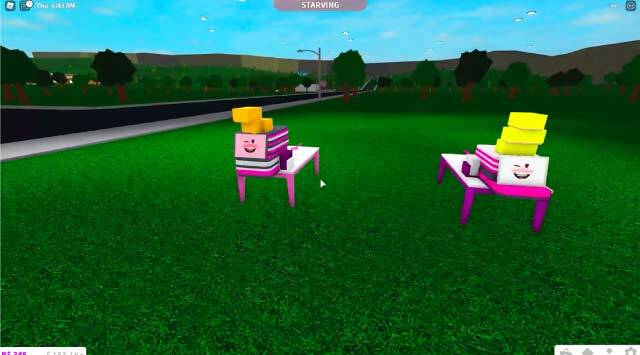
Step-by-step guide to Build your own unicorn on Bloxburg
Step 1
Decide whether you will build a unicorn house or design a unicorn pet avatar.
Step 2
Open Bloxburg and enter Build Mode or Avatar Editor depending on your choice.
Step 3
Sketch a simple plan in your notebook showing the main shapes colors and special features.
Step 4
Pick a color palette of 3 to 5 colors in the game to match your sketch.
Step 5
Create the main shape: build walls and floors for a house or shape the body and silhouette for a pet avatar.
Step 6
Paint the main surfaces using your chosen colors.
Step 7
Add a horn and mane using objects hats or decorative pieces in the game.
Step 8
Place furniture or accessories that match your unicorn theme.
Step 9
Add sparkly finishing touches like lights plants stickers or small props.
Step 10
Arrange decorations for balance and make any small adjustments to color or placement.
Step 11
Take screenshots of your finished unicorn house or pet and write a short title in your notebook.
Step 12
Share your finished unicorn creation on DIY.org.
Final steps
You're almost there! Complete all the steps, bring your creation to life, post it, and conquer the challenge!
Help!?
What can we use if we can't find a horn, mane, or specific decorative piece in Bloxburg?
If you can't find a horn or hat in Bloxburg's catalog, substitute narrow cones, fence posts, or stacked decorative pillars as a horn and use colorful plants, rugs, or hats for a mane while working in Build Mode or Avatar Editor.
My colors look wrong after painting—how do I fix the look during the build?
If colors look off after you paint the main surfaces, use the color picker to match your chosen 3–5 color palette, save and reload your build, and move or rotate decorations to rebalance placement as described in 'Arrange decorations for balance.'
How can we adapt this unicorn project for different ages?
For younger kids, simplify by sketching one big shape and using pre-made furniture and only three colors for walls and floors or a pet silhouette, while older kids can create detailed silhouettes, custom accessories, and layered color palettes in Build Mode or Avatar Editor.
What are fun ways to extend or personalize our finished unicorn house or pet?
Enhance your creation by adding sparkly finishing touches like lights and themed plants, writing a short title and backstory in your notebook next to the screenshots, and then share the finished unicorn on DIY.org.
Watch videos on how to Build your own unicorn on Bloxburg
Blippi Plays at a Construction Playground! | BEST OF BLIPPI TOYS | Educational Videos for Kids
4 Videos
Blippi Plays at a Construction Playground! | BEST OF BLIPPI TOYS | Educational Videos for Kids

How To Make a Blippi Build-A-Bear! | BEST OF BLIPPI TOYS | Educational Videos for Kids
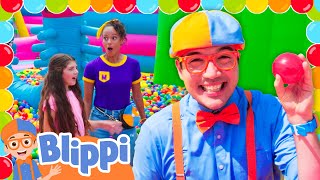
Let's Build The BIGGEST Ballpit! | BEST OF BLIPPI TOYS | Educational Videos for Kids
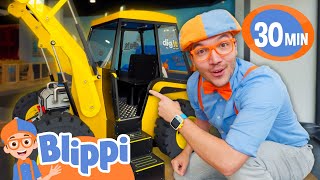
Blippi Plays In A Construction Playground! | BEST OF BLIPPI TOYS | Educational Videos for Kids
Facts about virtual home and avatar design for kids
🎨 Complementary colors (opposite each other on the color wheel) create bright, eye-catching contrast — perfect for a magical unicorn palette.
🧠 Designing and building in games like Bloxburg boosts planning, creativity, and spatial problem-solving skills.
🏠 In interior design, warm colors (reds, oranges) make spaces feel cozy while cool colors (blues, greens) make them feel calm.
🎮 Roblox launched in 2006 and lets players create, share, and play user-made games and worlds.
🦄 Scotland's national animal is the unicorn — a real royal surprise!
How do I build a unicorn house or pet avatar in Bloxburg?
What materials or in-game items do I need to build a unicorn in Bloxburg?
What ages is building a unicorn in Bloxburg suitable for?
What are the benefits and safety tips for kids building unicorns in Bloxburg?


One subscription, many ways to play and learn.
Only $6.99 after trial. No credit card required