Present the nightly news
Create and present a short nightly news broadcast with headlines, weather, and a fun story using paper scripts, simple props, and a camera.


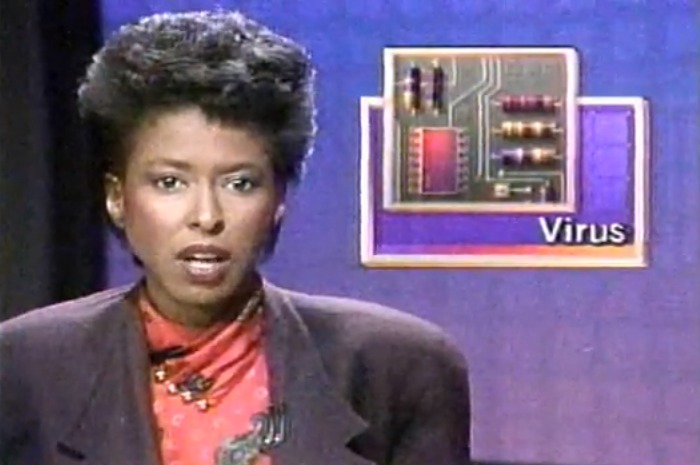

Step-by-step guide to present the nightly news
Nightly News: Kids Edition (April 21, 2020) | NBC Nightly News
Step 1
Choose three short segments for your broadcast: headlines weather and a fun story.
Step 2
Write a one sentence headline for each news story on a sheet of paper.
Step 3
Write a two sentence weather report that says the temperature and one weather fact.
Step 4
Write a short fun story script of three to four sentences with a clear beginning and end.
Step 5
Pick one prop for each segment to help tell the story.
Step 6
Label each prop with a sticky note or small paper tag that names the segment.
Step 7
Make simple cue cards with big words for your key lines using the paper and colouring materials.
Step 8
Arrange a small news desk area and place your props where you can reach them easily.
Step 9
Set a timer so your whole broadcast will be under three minutes.
Step 10
Practice reading your scripts out loud once while holding your cue cards.
Step 11
Record your broadcast from start to finish using your camera or device and include headlines weather and the fun story.
Step 12
Watch your favorite take and decide if you want to record another version.
Step 13
Share your finished broadcast on DIY.org.
Help!?
What can I use if I don't have sticky notes or colouring materials for the labels and cue cards?
Use small folded paper tags or masking tape to label each prop and substitute crayons, coloured pencils, or markers for making the cue cards and prop tags.
My child keeps going over the three-minute limit or freezes while recording—what troubleshooting steps can help?
Set and watch the timer during practice, shorten scripts by keeping headlines to one sentence and the weather to two sentences, and run the single practice read-through with the cue cards before recording to smooth any pauses.
How can we adapt the activity for younger or older children?
For younger kids, use picture-only cue cards, single-word or one-sentence headlines, and a 1–2 minute timer, while older children can write longer 3–4 sentence fun stories, add extra labeled props, and try different camera angles with the device.
What are simple ways to extend or personalize the nightly news broadcast?
Create a paper backdrop colored with your colouring materials, add a short theme tune recorded on your device, make on-screen paper graphics for headlines, or invite a family member to co-anchor using their own labeled prop.
Watch videos on how to present the nightly news
Nightly News: Kids Edition Celebrates Its First Anniversary | Nightly News: Kids Edition
4 Videos
Nightly News: Kids Edition Celebrates Its First Anniversary | Nightly News: Kids Edition
Nightly News: Kids Edition (April 15, 2020) | NBC Nightly News
A special school allows students to choose how they learn | Nightly News: Kids Edition
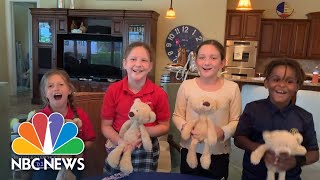
Nightly News: Kids Edition (Dec. 9)
Facts about video production for kids
🎤 Many real news anchors use a teleprompter so they can read a script while still looking at the camera.
🌦️ Meteorologists use satellites and computer models to track storms and predict the weather days in advance.
📰 A headline is a short, punchy summary that tells the reader the main point in just a few words.
🎬 TV news segments are tightly timed — some stories are only 30–60 seconds to keep the show on schedule.
📱 Short news clips and highlights are often shared on social media, and lots of people watch news on their phones.
How do I help my child present a nightly news broadcast?
What materials do I need to create a kid-friendly nightly news broadcast?
What ages is a nightly news broadcast activity suitable for?
What are the benefits of making my child present a nightly news broadcast?
