Build a robotic device
Build a simple wheeled robotic device using motors, batteries, cardboard, and sensors; test movement, learn wiring, and program basic controls.


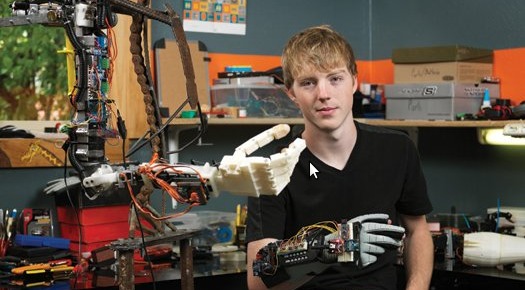

Step-by-step guide to build a simple wheeled robotic device
Robotics Tutorial for Beginners | How to make a simple Robot? (Complete Step by Step Instructions)
Step 1
Gather all your materials and bring them to a clear table or floor space where you can work.
Step 2
Cut a rectangle from the cardboard about 20 cm by 12 cm to make your robot chassis.
Step 3
Tape the two DC motors to the back left and back right edges of the cardboard so their shafts point out over the edge.
Step 4
Push the wheels onto the motor shafts until they fit snugly.
Step 5
Attach a bottle cap or small caster wheel to the front center of the chassis as a third support wheel using tape.
Step 6
Tape the battery pack in the middle of the chassis so it stays put while the robot moves.
Step 7
Use jumper wires or alligator clips to connect each motor wire to the motor driver output terminals.
Step 8
Clip the battery pack leads to the motor driver power terminals making sure the positive wire goes to VCC and the negative wire goes to GND.
Step 9
Connect the motor driver input pins to the microcontroller output pins with jumper wires and also connect the motor driver GND to the microcontroller GND.
Step 10
Plug the ultrasonic distance sensor or bumper switch wires into the microcontroller pins for power ground and signal.
Step 11
Plug the microcontroller into your computer using USB so you can program it.
Step 12
Create or load a simple program that turns both motors on to drive forward and that reads the sensor to stop or reverse when an obstacle is detected.
Step 13
Upload the program to the microcontroller so it will run from your code.
Step 14
Place the robot on the floor and press run to test its movement while watching for any problems.
Step 15
Take a photo or video of your finished robot and share your creation on DIY.org
Final steps
You're almost there! Complete all the steps, bring your creation to life, post it, and conquer the challenge!

Help!?
If I can't find DC motors, a motor driver, or an ultrasonic sensor, what can I substitute so I can still build the robot?
You can use hobby servos with wheel adapters instead of the DC motors, swap the motor driver for a dual H-bridge breakout or two transistor switches, and use a simple bumper switch or IR proximity sensor in place of the ultrasonic sensor while keeping the same wiring and programming steps.
My robot doesn't move when I press run—what steps from the build should I check to troubleshoot this?
Check that the battery pack leads are clipped to the motor driver power terminals with positive to VCC and negative to GND, confirm the motor driver GND is connected to the microcontroller GND, ensure each motor wire is firmly attached to the motor driver outputs, and verify the wheels are pushed snugly onto the motor shafts and the motors are taped securely to the cardboard chassis.
How can I adapt the activity for different ages so it's safe and engaging for younger kids and challenging for older ones?
For a 5-year-old pre-cut the 20×12 cm cardboard chassis, pre-tape the motors and wheels, and use a simple on/off switch instead of programming; for a 10-year-old let them assemble the motors, battery pack, and sensor and upload a basic forward-and-stop program; for a teen have them solder connections, wire the motor driver and ultrasonic sensor themselves, and write more advanced obstacle-avoidance code on the microcontroller.
What are some ways to extend or personalize the robot after the first successful run?
Decorate or paint the cardboard chassis, swap the bottle cap support for a small caster wheel, add LEDs or a buzzer connected to microcontroller pins, install an extra IR sensor for line-following, or add a Bluetooth/Wi‑Fi module to remotely control and update the uploaded program.
Watch videos on how to build a simple wheeled robotic device
How to Build Your Own Robot from Scratch | Step-by-Step DIY Tutorial [Episode 1]
4 Videos
![How to Build Your Own Robot from Scratch | Step-by-Step DIY Tutorial [Episode 1]](https://img.youtube.com/vi/8q3GpEUzVBY/mqdefault.jpg)
How to Build Your Own Robot from Scratch | Step-by-Step DIY Tutorial [Episode 1]
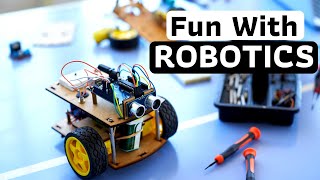
Robotics for Kids | Robotics Tutorial for Beginners | How to Build a Robot?
How to make a robot with cardboard | diy robot making at home | Science projects
AMAZING How To Make Robot With Cardboard Homemade Cardboard Robot Toy
Facts about robotics and electronics for kids
⚡ Two standard AA batteries give about 3 volts together, enough to run many small DC motors used in kid robotics kits.
🧠 An Arduino Uno microcontroller is open-source and has 14 digital I/O pins and 6 analog inputs for sensors and motors.
📦 Corrugated cardboard is lightweight, easy to cut and glue, and is a favorite prototyping material for robot chassis and shields.
🤖 Differential drive (two wheels) lets a robot spin in place by turning the wheels at different speeds—no steering wheel needed!
🔊 Ultrasonic distance sensors like the HC-SR04 work by timing sound echoes and can measure roughly from 2 cm up to several meters.
How do I build a simple wheeled robot from cardboard and motors?
What materials do I need to build a basic wheeled robot with sensors?
What ages is building a cardboard wheeled robot suitable for?
What safety tips and learning benefits come from building a simple wheeled robot?



One subscription, many ways to play and learn.
Only $6.99 after trial. No credit card required